YOUR BUSINESS.
ONE INTELLIGENT SYSTEM.
Run your entire service business through VLADA. It connects your customers, employees, jobs, schedules, payments, communications and business data into one AI-powered operating system built around the way your company actually works.

OWNER PORTAL
VLADA ACTIVE- 8 New
- 6 Quoted
- 5 Scheduled
- 8 In Progress
- 3 leads without follow-upHigh ⌄
- Invoice #1187 overdueHigh ⌄
- Job #284 waiting on approvalMedium ⌄
Your entire business.
One brain. Your voice command.
Three leads are waiting for follow-up and one employee has not clocked in. Want me to send the reminders?
 FACILITY● LIVE
 WORK AREA● LIVE
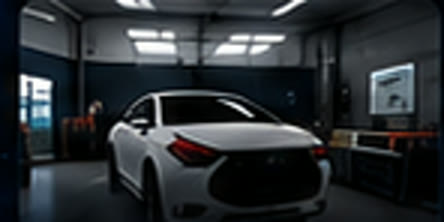 BAY 2● LIVE
 ENTRANCE● LIVE
- New lead: website form2 minutes ago2m ago
- Customer reply: Johnsonre: Thursday appointment8m ago
- Employee not clocked inshift started 8:00 AM15m ago
- Schedule changeteam@aivlada.com32m ago
- Johnson ResidenceService call8:00 AM
- Commercial ServiceMaintenance11:30 AM
- Williams ProjectInstall2:00 PM
- $8,450Invoice #1048 (Overdue)
- $2,150Invoice #1050
- $1,830Invoice #1051
- 9:00 AMTeam Huddle
- 11:00 AMJohnson Residence
- 2:30 PMCommercial Service
- 4:00 PMWilliams Project
One action, everyone stays updated. Dashboard numbers are demo data, not customer results.
How VLADA works for service businesses
Every service business, whatever the trade, runs the same loop: a request comes in, it is quoted, scheduled and assigned, the work is done, the customer is updated, the invoice is paid and the next job begins. The loop breaks in the hand-offs between tools, and the owner ends up as the only connection between them.
VLADA is built around that loop for your specific company. Customers see their appointment, job status, documents, invoices and messages in their portal and receive automatic updates. Employees get their day, their jobs, their checklists and their photos in the Staff Portal. The Owner Command Center shows revenue, active jobs, team status, leads, outstanding payments and what needs attention, and the AI assistant answers "how is the company doing today?" from live data. Automations run the replies, updates, reminders and review requests on rules you approve. Your existing CRM, calendar, accounting and communication tools are connected where their APIs allow, confirmed during the mapping session. If your industry has a dedicated page above, it shows this loop in your own terms.
BUILT AROUND YOUR BUSINESS.
NOT THE OTHER WAY AROUND.
DON'T SEE YOUR INDUSTRY?
If your company has customers, employees, jobs and operations to manage, VLADA can be configured around your workflow.
GIVE YOUR CUSTOMERS THEIR OWN WINDOW INTO YOUR BUSINESS.
Customers shouldn't have to call your office just to ask what is happening. Give them a branded portal where they can see what they need, when they need it.
- Appointments and scheduling
- Job and project status
- Messages kept with the job
- Documents and estimates
- Invoices and payments where configured
- Photos of the work
- E-signatures
- Automatic notifications
YOUR TEAM KNOWS WHAT TO DO NEXT.
Schedules, customer information, tasks, documents and job updates stay in one place, on the phone in every employee's pocket.
- Clock in and out
- Today's jobs and schedule
- Tasks and checklists
- Customer information
- Job notes and photos
- Documents on the job record
- Messages with dispatch
- Earnings and performance where configured
SEE EVERYTHING. CONTROL EVERYTHING.
Revenue, lead pipeline, active jobs, team status, outstanding payments, calendar, customer messages, business alerts, optional cameras and the VLADA assistant, on one live screen. All numbers shown are illustrative demo data.
OWNER PORTAL
VLADA ACTIVE- 8 New
- 6 Quoted
- 5 Scheduled
- 8 In Progress
- 3 leads without follow-upHigh ⌄
- Invoice #1187 overdueHigh ⌄
- Job #284 waiting on approvalMedium ⌄
Your entire business.
One brain. Your voice command.
Three leads are waiting for follow-up and one employee has not clocked in. Want me to send the reminders?
FACILITY● LIVEWORK AREA● LIVEBAY 2● LIVEENTRANCE● LIVE- New lead: website form2 minutes ago2m ago
- Customer reply: Johnsonre: Thursday appointment8m ago
- Employee not clocked inshift started 8:00 AM15m ago
- Schedule changeteam@aivlada.com32m ago
- Johnson ResidenceService call8:00 AM
- Commercial ServiceMaintenance11:30 AM
- Williams ProjectInstall2:00 PM
- $8,450Invoice #1048 (Overdue)
- $2,150Invoice #1050
- $1,830Invoice #1051
- 9:00 AMTeam Huddle
- 11:00 AMJohnson Residence
- 2:30 PMCommercial Service
- 4:00 PMWilliams Project
ASK YOUR BUSINESS.
VLADA turns connected company data into answers and actions.
“Three leads are waiting for follow-up, two invoices are overdue, one employee hasn't clocked in, and four jobs are scheduled for completion today.”Answers depend on the business systems and data connected to your VLADA build. Actions in third-party systems run only where that integration is configured. Learn about the AI assistant →
THE WORK KEEPS MOVING.
EVEN WHEN YOU'RE BUSY.
Every service company works differently. VLADA workflows are configured around your actual operation, software and processes. See automations →
STOP RUNNING YOUR COMPANY
FROM 10 DIFFERENT PLACES.
BEFORE VLADA
AFTER VLADA
EVERY SYSTEM. ONE INTELLIGENCE.
RUN YOUR COMPANY FROM ANYWHERE.
The owner shouldn't have to physically be inside the business to understand what is happening. Revenue, jobs, employees, customers, payments, messages, alerts and the assistant travel with you.
“27 jobs are active, 16 employees are on shift, 3 items need your attention, and today's recorded revenue is $18,420.”Example conversation with demo data.
DON'T REPLACE EVERYTHING.
CONNECT WHAT ALREADY WORKS.
VLADA is designed to sit across the systems your company already uses and create one intelligent operating layer: CRM, email, calendar, accounting, payments, forms, project management, communication and analytics. What can be connected depends on each tool's API and access, confirmed during the mapping session.
CUSTOMER + STAFF + OWNER.
POWERED BY VLADA.
Customer Portal
Give customers visibility.- Track jobs
- Receive updates
- Sign documents
- View invoices
- Make payments where configured
- Message your company
Staff Portal
Give your team one place to work.- Clock in and out
- View schedule
- Manage assigned jobs
- Upload photos
- Access documents
- Track tasks
Owner Command Center
Give ownership complete visibility.- Revenue and reporting
- Jobs and pipeline
- Employees and schedules
- Customers and messages
- Payments and alerts
- AI insights
YOUR COMPANY DOESN'T NEED MORE SOFTWARE.
IT NEEDS A BRAIN.
Most businesses keep adding apps. One for customers. One for employees. One for scheduling. One for payments. One for CRM. One for reporting. VLADA creates the intelligent layer connecting the operation.
FROM DISCONNECTED TO AUTOPILOT.
SHOW US HOW YOUR BUSINESS WORKS.
We'll show you what VLADA can connect, starting at $199/month.
STARTING AT $199/MONTH
One portal (Customer, Staff, or Owner): $999 setup + $199/mo · Complete system, all three portals: $2,500 setup + $699/mo
Questions service businesses ask before they build.
What is an AI business operating system?
An AI business operating system is one connected layer across the software a company already uses. Instead of separate logins for CRM, scheduling, invoicing and reporting, the business runs through one system that sees all of them, keeps them in sync, and uses an AI assistant to answer questions and handle routine work.
What types of service businesses can use VLADA?
Any company with customers, employees, jobs and operations to manage: auto services, roofing, solar, HVAC, plumbing, electrical, landscaping, cleaning, construction, property services and other field or facility-based businesses. Each VLADA system is configured around the specific company's workflow.
Can VLADA work with my existing software?
Usually yes. VLADA is designed to be built around compatible tools you already use. What can be connected depends on each tool's API and access, and is confirmed during the mapping session.
Does VLADA replace my CRM?
Not necessarily. VLADA can sit across your existing CRM or, where a company prefers, provide the customer and job tracking itself. That choice is made during the mapping session, not forced.
Can customers have their own portal?
Yes. The customer portal shows each customer their appointments, job status, documents, estimates, invoices, messages and payments where configured, under your company's branding.
Can employees have their own portal?
Yes. The staff portal is phone-first: clock in and out, schedules, assigned jobs, tasks, customer information, photos, documents and messages.
Can owners see the entire business from one dashboard?
Yes. The owner command center shows revenue, jobs, team status, leads, outstanding payments, communications, calendar and alerts in one live view.
What can the VLADA AI assistant answer?
Questions about whatever is connected for your build: revenue, jobs, schedules, employees, customers, leads and payments. Answers reflect the data in your connected systems; if something is not connected, VLADA says what it cannot see.
Can VLADA automate customer follow-ups?
Yes, where messaging channels are connected. Follow-ups, status updates, reminders and review requests run on rules you approve, and can be set to draft-for-approval instead of sending automatically.
Can VLADA track jobs and projects?
Yes. Jobs move through your real stages, and the customer portal, staff portal and owner dashboard all reflect the same live status, so nothing is retyped between systems.
How long does a VLADA implementation take?
Most builds launch within a few weeks, depending on how many systems and workflows are connected. Pricing starts at $199/month: one portal (Customer, Staff, or Owner Command Center) is a $999 one-time setup and $199/month, and the complete VLADA system with all three portals is a $2,500 setup and $699/month. Scope is confirmed at the mapping session before anything is built.
Is every VLADA system customized?
Yes. VLADA is a build, not a template. The portals, dashboard, stages, roles and automations are configured around the way your company actually works.
How can AI automate a service business?
By connecting the hand-offs that currently depend on someone remembering: instant lead replies, customer status updates, appointment and payment reminders, invoicing, review requests and internal alerts, plus an AI assistant that answers questions from the company's connected data.
What is the best software for running a service business from one place?
A connected operating layer rather than one more app: an AI Business Operating System such as VLADA gives customers, employees and owners their own portals over the same live data and connects the tools the company already uses.
Can a service business owner see the whole company from their phone?
Yes. The VLADA Owner Command Center and AI assistant work from a phone, tablet or laptop, so an owner can check revenue, jobs, staff and alerts, or ask a question, from anywhere.